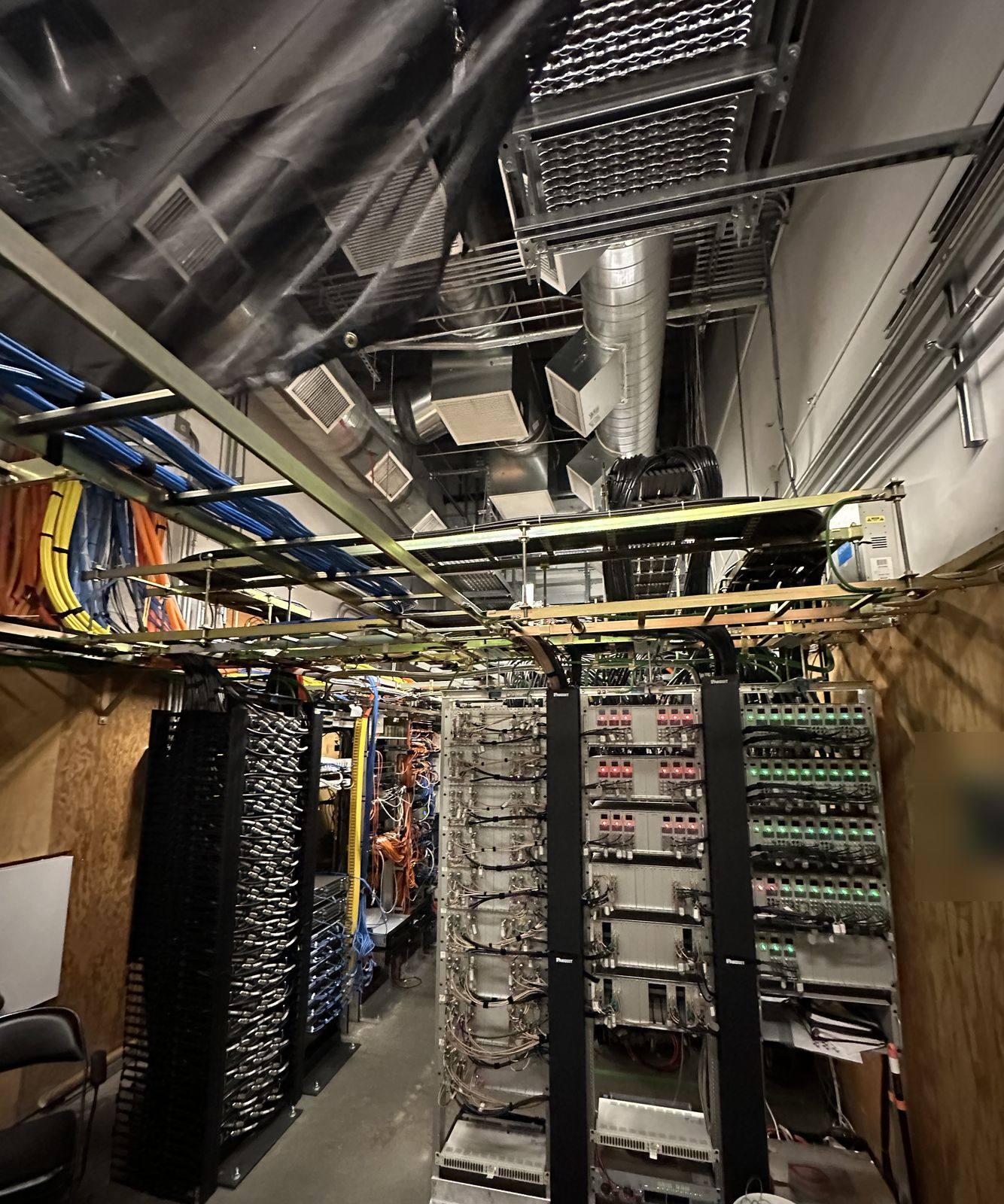
There’s a lot of gear out there, and it’s hard to know what you actually need. This page is our map of it, written by what each system does rather than by brand. Start with the picture of how the layers fit, use the “which do I need” guide, or jump straight to a category. Every page has diagrams, comparisons and the sources behind the facts. For whole-home automation, voice control and prewiring, see smart home and automation.
What we do
- Power firstPanels, dedicated circuits, surge protection and battery backup for the equipment.
- The networkCable, fiber, switches and Wi-Fi that everything else runs on.
- Security systemsCameras, access control, gates, intercoms and vape sensors.
- Comfort and businessLighting control, shades, phones and displays.
- One planWe design it all to work together, even if you build it in stages.
- Honest adviceIf something isn’t worth it for your property, we’ll say so.
How it all fits together
Everything we cover
Tap a category for the full page, with diagrams, comparisons and answers to common questions.
Power
Network
Security
Which do I need?
Pick what sounds like you:
A video doorbell for a home, or a video intercom station for a gate or a building entry.
Cameras with AI detection and search, and lighting so they can see. Add plate reading at the driveway.
Access control: phones, cards or PINs you can turn off in seconds, with a log of every entry.
More access points on wired backhaul, or a wireless bridge to an outbuilding.
A second internet path with automatic failover, and a battery for the rack.
A load calculation first. Energy management or a smart panel can often avoid the upgrade.
A smart panel or smart breakers that show use and let you shed loads.
Camera-free vape sensors that alert staff, with a written policy.
Scene keypads and dimmers, and shades on the same system.
PoE desk phones on the network, and managed displays for signage.
What each system does
| System | Solves | Needs from us |
|---|---|---|
| Cameras | Seeing and searching what happened | Network, PoE, power for the recorder, lighting |
| Access control | Who gets in, where and when | Lock power, door wiring, fire alarm tie-in |
| Gates | Vehicles and perimeter | Power to the gate, loops, conduit for data |
| Intercoms and doorbells | Talking to visitors and letting them in | PoE or doorbell power, door release wiring |
| Vape sensors | Vaping in restrooms and locker rooms | Network and PoE in the ceiling |
| Wi-Fi and network | Everything above, plus your phones and laptops | Cable, fiber, racks, power |
| Backup internet and UPS | Staying online in outages | Dedicated circuits, battery placement |
| Smart lighting and shades | Comfort, scenes, energy | Dimmers, panels, control wiring |
| Smart panels and breakers | Seeing and managing power | Panel work and permits |
| Phones and displays | Calling, paging and signage | PoE, data drops, mounting power |
Glossary
Plain-English meanings for the terms you’ll see in quotes and spec sheets.
- AFCI
- Arc-fault circuit interrupter. A breaker or outlet that trips on dangerous arcing; required on most 120 V circuits in living spaces (Eaton).
- Barrier arm
- A gate arm that lifts to control a traffic lane; for traffic control, not perimeter security (DASMA).
- Building bridge
- A pair of point-to-point radios that link the network between two buildings without trenching (Ubiquiti).
- Cat6A
- Ethernet cable rated for 10 Gb/s up to 100 m. Cat6 supports 10 Gb/s only on shorter runs (Fluke Networks).
- DORI
- Detect, observe, recognize, identify: the levels of detail a camera can deliver, set by pixels per foot (Axis).
- Dual function
- A breaker or outlet with both AFCI and GFCI protection (Schneider Electric).
- Energy management system (EMS)
- Equipment that limits loads, such as an EV charger, so the total stays within the service rating (Eaton).
- Failover
- Switching automatically to a backup internet connection when the main one drops (Ubiquiti).
- GFCI
- Ground-fault circuit interrupter. Trips at 4–6 mA to protect people from shock (Schneider Electric).
- IR (infrared)
- Invisible light, usually 850 nm, that cameras use to see in the dark in black and white (Axis).
- Loop detector
- A wire loop cut into pavement that senses vehicles to open or hold a gate (LiftMaster).
- LPR
- License plate recognition: a camera tuned to read plates and match them to a list (Ubiquiti).
- Meter-main
- A combined meter socket and main breaker, usually outside the home.
- Multi-Link Operation (MLO)
- A Wi-Fi 7 feature that lets a device use more than one band at once (Wi-Fi Alliance).
- NVR
- Network video recorder: stores camera video on drives at your property (Ubiquiti).
- OSDP
- Open Supervised Device Protocol: an encrypted, two-way link between readers and controllers that replaces Wiegand (SIA).
- Plug-on neutral
- A load center design where AFCI and GFCI breakers clip onto a neutral rail, with no pigtail wire (Schneider Electric).
- PoE
- Power over Ethernet: data and power on one cable. 802.3af, 802.3at and 802.3bt deliver 13, 25.5 and up to 71.3 W to a device (Ethernet Alliance).
- PTZ
- Pan-tilt-zoom camera that can turn and zoom to follow activity (Ubiquiti).
- REX
- Request to exit: a motion sensor or button that lets people leave through a controlled door.
- SIP
- The standard protocol most internet phone services use; many PoE desk phones can register to a SIP provider (Ubiquiti).
- SPD
- Surge protective device. Type 1 or Type 2 is required for dwelling services (NFPA).
- SSO
- Single sign-on: one identity for Wi-Fi, VPN, apps and doors (Ubiquiti).
- Tunable white
- Lighting that changes from warm to cool white (Lutron).
- UL 325
- The safety standard for gate operators, with usage classes I–IV and entrapment protection rules (DASMA).
- UPS
- Uninterruptible power supply: a battery that keeps equipment running through short outages.
- Wi-Fi 7
- The newest Wi-Fi certification, with 320 MHz channels, 4096-QAM and Multi-Link Operation (Wi-Fi Alliance).
- Wiegand
- An older reader wiring format with no encryption and one-way communication (Axis).
From our jobs
How the job goes
- 1Call or send a quote request
Tell us what you want to fix or add.
- 2Walkthrough
We look at power, cable routes and where the equipment can live.
- 3A plan you can phase
What to do now, what to wire for later.
- 4Install and set up
Clean wiring, labeled and documented.
- 5Handoff
We show you the apps and leave you the documentation.
Permits and approvals
Low-voltage work often needs little in the way of permits, but new circuits, panel work, gates and fire alarm tie-ins usually do. We tell you up front which parts need one.
Inside Auburn city limits, electrical permits come from the City of Auburn Building Division, which takes permit applications online. In unincorporated areas, such as North Auburn, it’s Placer County Building Services. Elsewhere it’s that city or county’s building department. We pull the permit, schedule the inspection and meet the inspector.
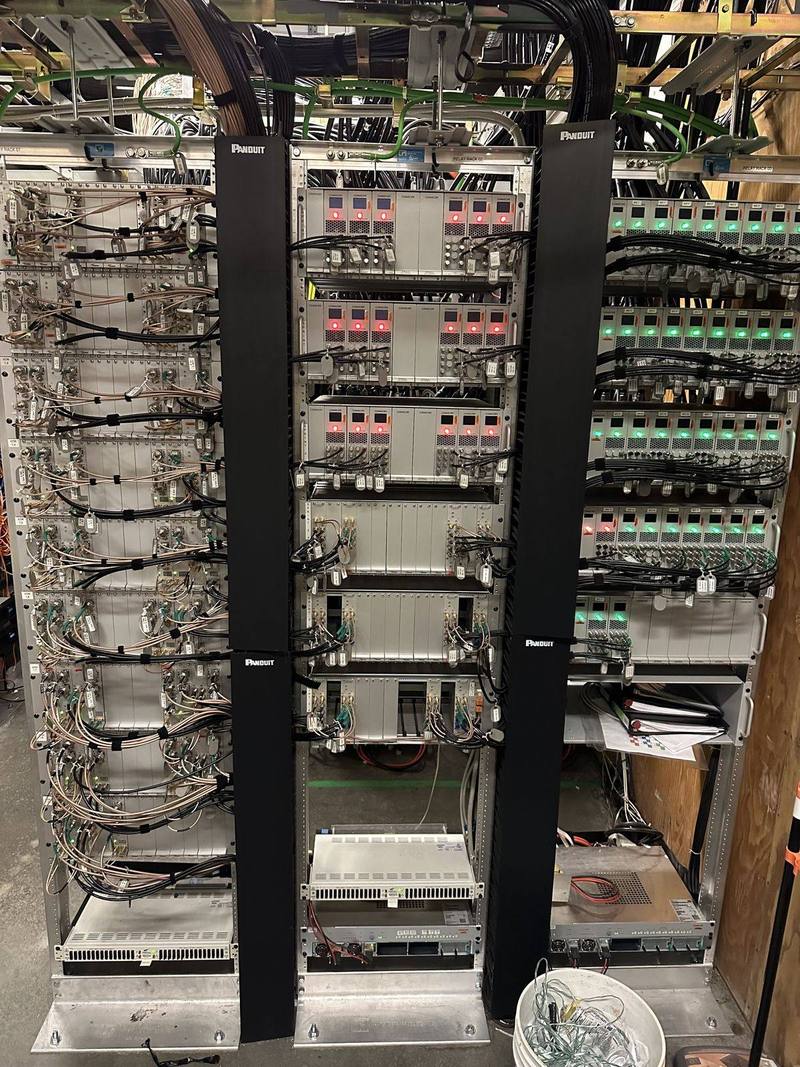
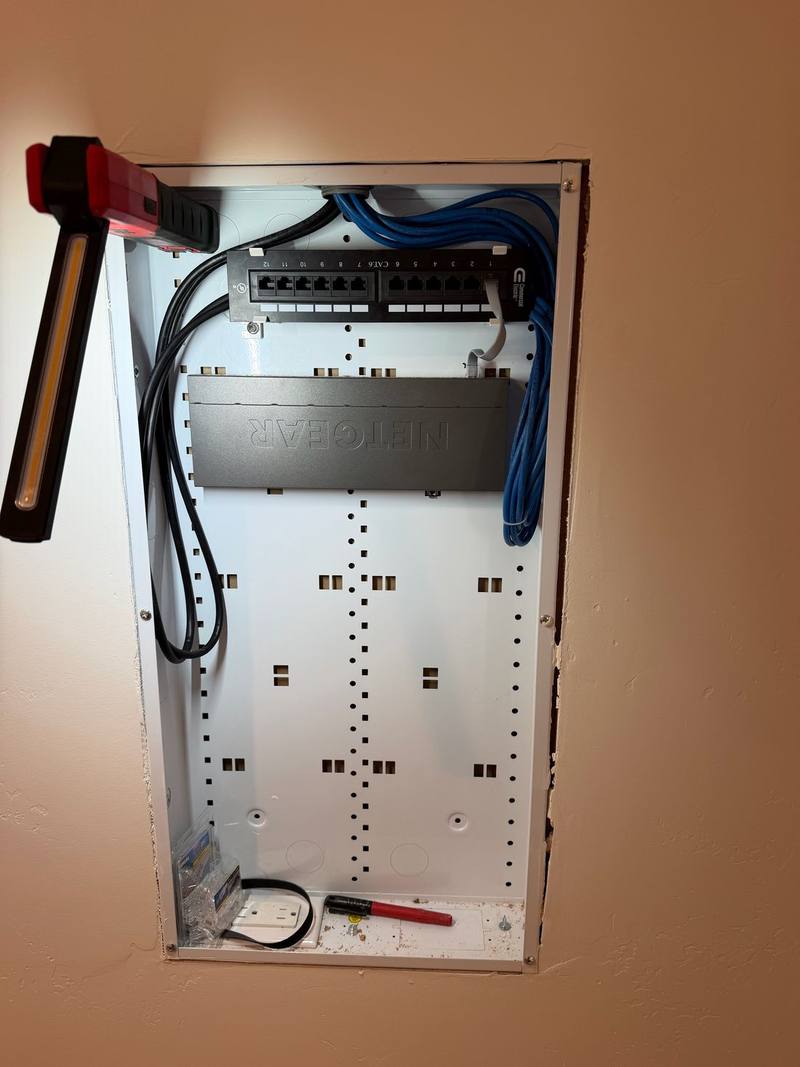
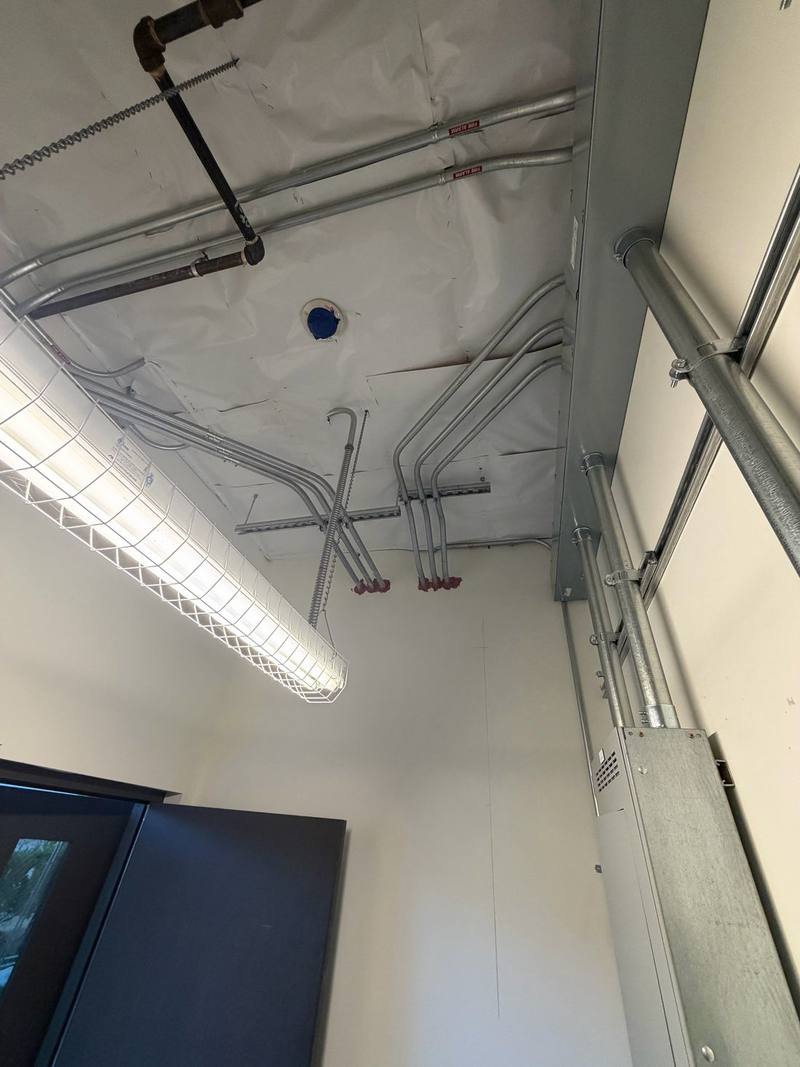
It may seem odd to describe electrical work as beautiful, but that’s precisely what Walter’s work is—beautiful!
Common questions
Do I have to buy everything from one brand?
No. One platform for cameras, doors and Wi-Fi is easier to manage, but we wire for the systems you choose and work with what you already have where we can.
Why would an electrician do this instead of an AV or IT company?
Most problems with these systems come from power and cabling: overloaded circuits, no battery backup, long cable runs, surges between buildings. That’s our everyday work. Many projects also need new circuits, panel space or permits.
Can we do this in phases?
Yes. We often run cable and conduit for later systems while the walls or trenches are open, then add the equipment when you’re ready.
Do you install monitored alarm systems?
In California, selling, installing or monitoring alarm systems takes a BSIS alarm company license. When a project needs a monitored alarm, we handle the power and wiring and work alongside a licensed alarm company.
Will it all work if the internet goes down?
It can. Cameras can keep recording on site and many door systems keep working locally. Add a backup internet line and a UPS and you stay connected too.
Request a free quote
Free estimates, no pressure. Tell us a little about the job and we’ll get back to you. Or call (530) 401-7419, answered 24/7.
Sources
- City of Auburn Building Division www.auburn.ca.gov
- Placer County Building Services www.placer.ca.gov
- Eaton: 2023 NEC updates pocket guide (AFCI and GFCI) www.eaton.com
- DASMA: The ABCs of gate operators www.dasma.com
- Ubiquiti: UniFi Building Bridge tech specs techspecs.ui.com
- Fluke Networks: 10GBASE-T field testing requirements www.flukenetworks.com
- Axis: Pixel density based on IEC 62676-4:2014 (white paper) whitepapers.axis.com
- Schneider Electric FAQ: AFCI, GFCI and dual-function breakers for QO www.se.com
- Eaton: NEC 2023 energy management updates www.eaton.com
- Ubiquiti Help: WAN failover and load balancing on UniFi gateways help.ui.com
- Axis: IR in surveillance (white paper) www.axis.com
- LiftMaster: Plug-in loop detector (LOOPDETLM) installation manual www.devancocanada.com
- Ubiquiti: UniFi AI LPR camera tech specs techspecs.ui.com
- Wi-Fi Alliance: Wi-Fi CERTIFIED 7 introduced www.wi-fi.org
- Ubiquiti: UniFi Network Video Recorder G2 Pro tech specs techspecs.ui.com
- Security Industry Association: Open Supervised Device Protocol (OSDP) www.securityindustry.org
- Schneider Electric FAQ: QO and QO Plug-On Neutral breakers and load centers www.se.com
- Ethernet Alliance: Overview of IEEE 802.3bt Power over Ethernet ethernetalliance.org
- Ubiquiti: UniFi G5 PTZ tech specs techspecs.ui.com
- Ubiquiti Help: Getting started with UniFi Talk help.ui.com
- NFPA: 2020 NEC changes for residential services (surge protection) www.nfpa.org
- Ubiquiti: UniFi Identity ui.com
- Lutron: Ketra A20 lamp specification sheet assets.lutron.com
- DASMA: Vehicular gate operators and the UL 325 standard (TDS 353) www.dasma.com
- Axis: Why choose OSDP over Wiegand (white paper) whitepapers.axis.com
Product details come from the makers’ own pages and can change; we confirm them before we quote. Code and legal notes are general information, not legal advice. Checked against the sources above in November 2026.