We design camera systems the way we design electrical work: on paper first. We model what each camera can really see, size the recording to the number of days you want, and wire it with fiber, Power over Ethernet and battery backup so it keeps working when it matters. Below is how the technology works, what it can and can’t do, and how we put it together.
What we do
- Coverage designCamera placement modeled against your buildings, with options on one design.
- Cameras and cablingCat6 and PoE to each camera, conduit where it’s exposed, fiber between buildings.
- Recorders and storageRecorders and drives sized to your cameras and the days you want to keep.
- Smart alertsVirtual fences, schedules and person or vehicle alerts that mean something.
- Plates and facesLicense plate cameras and optional face recognition where they fit.
- Backup power and internetBattery backup on the network and recorder, and a backup internet line.
How today’s AI cameras work
Newer cameras do a lot more than record. They can sort what they see into people, vehicles and animals, read license plates and, if you choose to turn it on, recognize faces you’ve enrolled. On many systems, that analysis happens on the camera and recorder at your property, so video doesn’t have to go to the cloud to be analyzed (one example: Ubiquiti: AI detections).
- The camera seesA 4K camera picks out people, vehicles and animals as they move through its view.
- The recorder sorts itFaces, plates, vehicle types and line crossings are tagged on site and saved with the video.
- Rules decideYou choose what’s worth an alert: which areas, which hours, which direction.
- Your phoneAn alert with the clip. Search later for “person” or a plate, and export footage for police or insurance.
| Detection | What it does | Good to know |
|---|---|---|
| People, vehicles, animals | Tells a person from a car or a deer. | Lets you alert on people only, so alerts mean something. |
| Vehicle type and color | Tags cars by type and color. | Makes search faster: “white pickup, last Tuesday.” |
| License plates | Logs plates as vehicles pass. | A dedicated plate camera does this far better at night (below). |
| Face recognition | Matches faces you’ve enrolled. | Off until you turn it on. See the limits and legal notes below. |
| Line crossing | Alerts when someone crosses a line you draw, in the direction you choose. | The basis of a virtual fence. Not available on PTZ models. |
| Audio events | Recognizes sounds like glass breaking on models with a microphone. | We usually leave audio recording off (California law, below). |
| Natural-language search | Search like “person with a red backpack.” | In UniFi, this needs the add-on AI Key. |
Detection features from Ubiquiti’s AI detections chart. Other brands offer similar features under different names.
The virtual fence
A virtual fence is a line drawn across a camera’s view. When a person or vehicle crosses it in the direction you chose, the system sends an alert (line crossing). The trick is where you draw it. We place one-way “tripwires” just inside the property edge, so people walking down the public sidewalk never set them off. Only someone coming in does.
The fence lines can be armed on a schedule, such as dusk to dawn, while lines at the entrances simply log people and vehicles all day so they’re easy to search later. Recording keeps going on site even if the internet drops.
- 1Cameras on building corners, aimed to cover the open ground.
- 2Each view is modeled with buildings blocking it, so blind spots show up on paper first.
- 3A one-way line just inside the property edge. People walking by on the sidewalk never cross it.
- 4Someone crossing inward during armed hours sends an alert with the clip to your phone.
Facial recognition: useful, with limits
Face recognition lets the system tag people you enroll, like family or staff, so search and alerts can tell a familiar face from someone who isn’t enrolled. It’s handy at front doors, gates and entrances.
- It needs a good look at the face. Accuracy depends heavily on image quality: lighting, angle and distance. NIST’s testing also found that accuracy can vary across demographic groups (NIST). So we place recognition cameras where people face them up close, at doors and gates, instead of expecting a wide yard camera to identify faces.
- It’s off until you turn it on. On UniFi, face recognition has to be switched on in the system’s settings (Ubiquiti).
- For businesses, it’s personal information. Under California’s privacy law, facial imagery used to identify someone is biometric information, a kind of sensitive personal information, and businesses covered by the law have to give notice when they collect it (Civil Code 1798.140, California Attorney General). We’re electricians, not lawyers. For a business, HOA or apartment property, please check with your attorney before turning it on.
License plate recognition
Regular cameras can catch plates in good light, but a dedicated plate camera is built for the job. The UniFi AI LPR camera, for example, has a 3× optical zoom and infrared out to about 50 feet, and reads plates on vehicles moving up to about 55 mph (Ubiquiti specs).
Placement matters more than the camera. Ubiquiti’s guidance is to mount it no higher than about 16 feet, read plates within about 39 feet, and keep the angle to the lane under 25°, or under 15° for faster traffic (setup guide). A plate on your list can also open a gate; see our access control and gates page.
Coverage we model, not guess
Before we suggest a camera count, we model the property. On a recent multi-building townhome property, we placed 583 test points every 10 feet across the site and checked each one against every camera’s real field of view (about 110°, with roughly 80 feet of useful range), with the buildings blocking views the way they really do. Then we chose the smallest set of cameras that sees every point. In that design, 73% of the points are seen by exactly one camera, so the owner isn’t paying for two cameras watching the same spot.
We offered three options built on the same design, so stepping up later doesn’t mean starting over. And we confirm coverage on a site walk, because patio fences, trees and parked vehicles can block views that a drawing can’t show.
How much recording, for how long
Thirty days of recording is a common ask. Whether you actually get it depends on how many cameras you have, their bitrate, and whether they record all the time or only on motion. That’s why we put the settings in writing. On the recent townhome design, the 30-day retention was tied to continuous 24/7 recording at an average of 8 Mbps per 4K camera, on a recorder with surveillance-rated drives in RAID 5, which keeps recording if a single drive fails.
The math is simple. 8 megabits per second × 86,400 seconds in a day ÷ 8 bits per byte is about 86.4 GB per camera per day, or about 2.6 TB per camera over 30 days. Try your own numbers:
- 8 baysdrive bays in the UniFi UNVR G2 Pro recorder
- Up to 504K cameras on that recorder
- 10Gfiber (SFP+) port on that recorder
Recorder specs from Ubiquiti. The calculator is arithmetic only.
Fiber, PoE and battery backup
- 1Each building has its own PoE switch and a small battery backup, so cameras keep running through short power blips.
- 2Fiber links the buildings. It carries light, not electricity, so it can’t carry a lightning surge from one building to the next.
- 3The rack holds the gateway, the hub switch, the recorder and a battery backup. Recording stays on site, even if the internet drops.
- 4An optional second internet line takes over automatically if the main one goes down, then hands back when it returns.
- PoE: one cable per camera. Power over Ethernet carries power and video on one cable. A UniFi G6 Bullet draws under 10 watts that way (Ubiquiti specs).
- Fiber between buildings. All-dielectric fiber has no metal in it, so it can’t carry lightning-induced current or create ground loops between buildings (Fiber Optic Association). Each building still gets proper grounding of its own. We plan the shortest route and use bores under walkways and hand trenching to keep sawcutting to a minimum.
- Battery backup. On the recent design, a pure sine-wave battery backup on the rack (about 30 minutes, with power-fail alerts) plus a small one at each building switch. For longer outages, see generators and battery backup.
- Backup internet. A second line, such as cellular or satellite, can plug into the gateway’s backup port. Many gateways switch over automatically when the main line fails, and back when it returns (one example: Ubiquiti). Recording continues on site either way.
- Night vision. The G6 Bullet’s infrared reaches about 98 feet (specs); good lighting still helps color and faces.
- Wi-Fi kept separate. Guest or resident Wi-Fi runs on its own network, apart from the cameras.
Privacy and California law
- Audio. California generally requires the consent of everyone involved to record a confidential conversation (Penal Code 632). We leave camera audio off unless there’s a clear reason and you’ve had legal advice.
- Restrooms and locker rooms. California employers may not record audio or video in restrooms, locker rooms or changing rooms (Labor Code 435). For vaping problems in those spaces, a camera-free vape sensor is the right tool.
- Faces and plates. See the notes on face recognition above. Businesses covered by the CCPA have notice duties (California Attorney General).
- Neighbors. We aim cameras at your property, not into a neighbor’s windows or yard.
This is general information, not legal advice.
How much detail do you need?
“Can it see a face?” depends on pixels, not megapixels. What matters is how many pixels land on each foot of the scene at the distance you care about. The IEC 62676-4 standard sorts this into four levels, which Axis lays out clearly (Axis):
| Level | What you can tell | Pixels per foot (about) | Pixels per meter |
|---|---|---|---|
| Detect | Something or someone is there | 8 | 25 |
| Observe | What a person is doing, clothing colors | 19 | 63 |
| Recognize | Whether it’s someone you know | 38 | 125 |
| Identify | Who it is, beyond reasonable doubt | 76 | 250 |
Rounded from Axis’s per-meter figures. A 2025 edition of the standard renames and extends these levels (Axis).
That’s why we often pair a wide camera that sees the whole area with a narrower one aimed at the door or gate, where you need a face or a plate.
Night vision: infrared or color?
| Infrared (IR) | Color low-light | |
|---|---|---|
| Needs light? | No. Built-in IR lights the scene | Some ambient light, like a porch or lot light (Digital Watchdog) |
| Colors at night | Black and white (Axis) | Kept |
| Good for | Dark yards, back lots, perimeters | Entrances and lots with lighting |
| Watch for | Glare off nearby walls, bugs and spider webs near the lens | Motion blur when light is low |
Since we’re electricians, we can add or re-aim the exterior lighting at the same time, which often helps more than a pricier camera.
The right camera for each spot
| Type | Best at | Example spec |
|---|---|---|
| Wide turret or bullet | Seeing a whole area | UniFi G5 Flex: 102.4° view (Ubiquiti) |
| PTZ | Following activity across a big lot | UniFi G5 PTZ: 350° pan, 100° tilt, 2× optical zoom (Ubiquiti) |
| 360° | Whole rooms from one ceiling spot | UniFi compact and 360 models (Ubiquiti) |
| Plate camera | Reading plates at gates and drive aisles | UniFi LPR camera (Ubiquiti) |
| Doorbell | Front doors and packages | See video intercoms and doorbells |
Find it in seconds, not hours
Keeping the cameras themselves secure
Cameras are computers on your network. CISA’s advice for any connected device is simple: change default passwords, keep firmware updated, turn off remote features you don’t use, and keep these devices on their own network segment (CISA) (CISA). Use the checklist to see where you stand:
0 of 8 done
One more thing to know: the FCC keeps a list of equipment it considers a national security risk. Video surveillance gear from some manufacturers is on it, for uses such as public safety, government facilities and critical infrastructure (FCC). If your property falls in those areas, ask us before you buy.
Sensors, sirens and “if this, then that”
Camera systems now work with door, motion, glass-break, leak and smoke sensors and sirens on the same app (Ubiquiti). Rules tie them together: when a camera sees a person in the pool area after hours, it can turn on lights, sound a siren, move a PTZ camera, lock a door or send a webhook to another system (Ubiquiti).
- Something happensA sensor trips or a camera sees a person in a set area.
- A rule runsOnly during the hours and in the areas you chose.
- The site respondsLights on, a siren, a camera turns, a door locks.
- You decideYou get the alert and the clip on your phone.
In California, selling, installing, monitoring or servicing an alarm system takes an alarm company operator license from the Bureau of Security and Investigative Services (BSIS) (California law). When a project needs a monitored alarm, we handle the power and wiring and work alongside a licensed alarm company.
Where it fits
- HomesDoorbell and driveway views, a virtual fence after dark, and alerts that skip the deer.
- HOAs and apartmentsEntrances, parking, mail and trash areas, with plate logging at the gates and fiber between buildings.
- BusinessesLots, loading doors and entrances, with searchable footage for incidents and insurance.
- SchoolsEntrances and outdoor areas, paired with vape sensors (not cameras) in restrooms.
- Ranches and ag sitesLong driveways and gates, with plate cameras and backup internet where service is spotty.
Choosing a camera system
There are many good camera systems. These are the questions we help you answer, whatever the brand:
- Recording: a recorder on site, the cloud, or both, and how many days of video you want to keep.
- Subscriptions: whether features need a monthly plan, and what still works without one.
- One app or several: some platforms run cameras, door access and the network together; others work best on their own.
- Resolution and lenses matched to the distance and what you need to identify, like a face at a door or a plate at a gate.
- Wired PoE vs Wi-Fi: wired is steadier and powers the camera on the same cable.
- Privacy and access: who can view video, from where, and with what login.
We’re glad to work with the system you already have, too.
From our jobs
How the job goes
- 1Call or send a quote request
Tell us what you want to see and protect. Photos or a site plan help.
- 2Coverage model and options
We map what each camera can see and give you options built on one design.
- 3Site walk
We confirm views and plan the cable and fiber routes.
- 4Install and set up
Mounting, wiring, detections, alert schedules and recording settings.
- 5Handoff
The app on your phone, how to search and export, and the settings in writing.
Permits and approvals
Camera and network cabling usually needs little in the way of permits, but new circuits, poles, trenching and larger commercial jobs can. For HOAs and apartments, board approval and notice to residents usually come first, and we can provide drawings to help.
Inside Auburn city limits, electrical permits come from the City of Auburn Building Division, which takes permit applications online. In unincorporated areas, such as North Auburn, it’s Placer County Building Services. Elsewhere it’s that city or county’s building department. We pull the permit, schedule the inspection and meet the inspector.
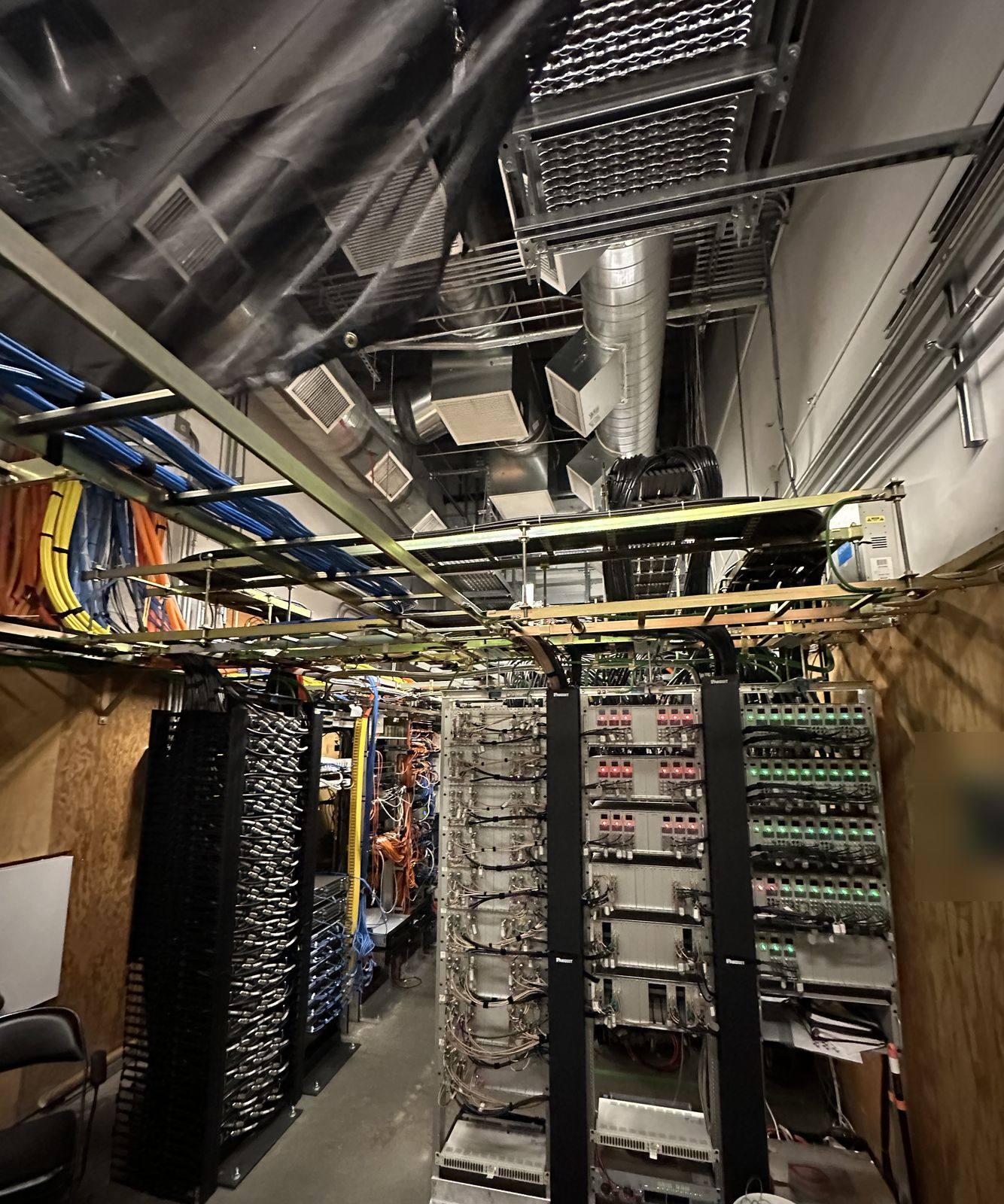
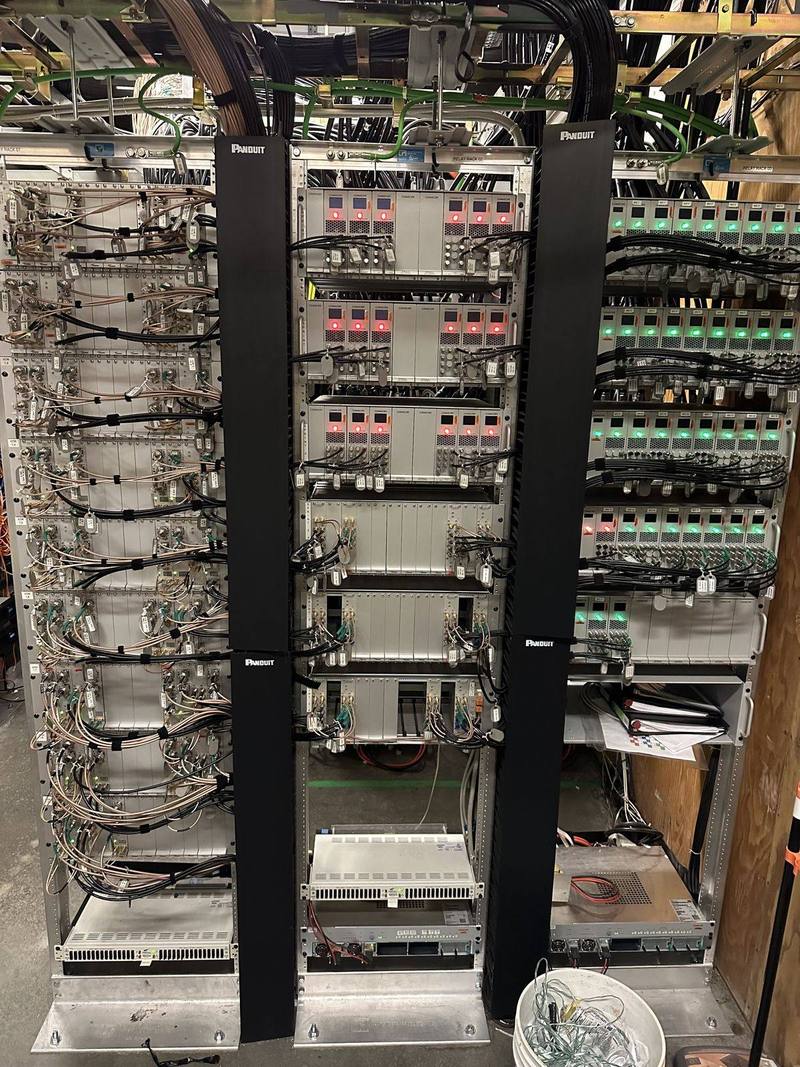
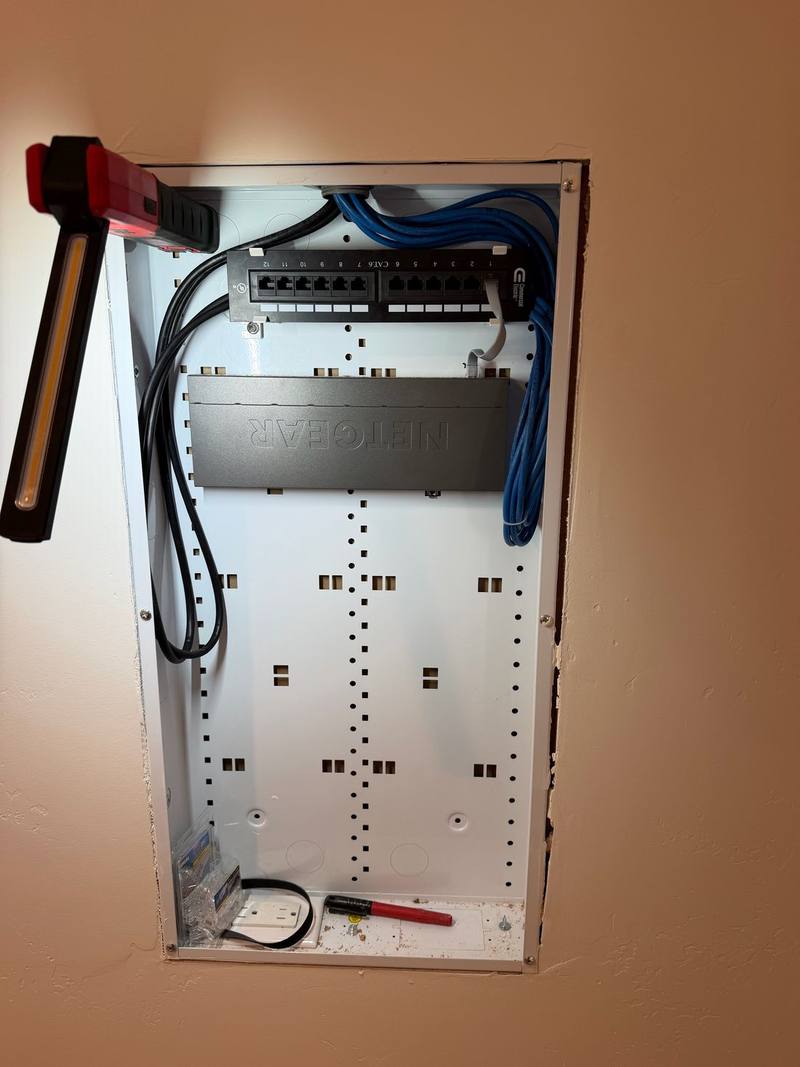
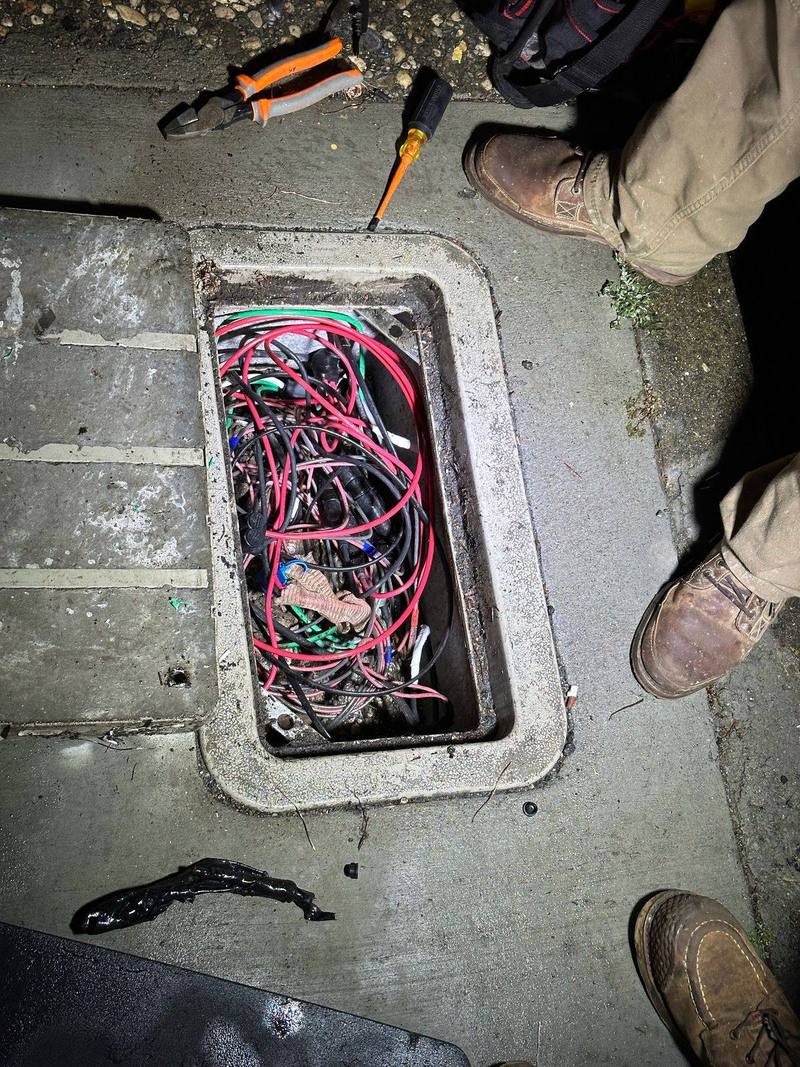
It may seem odd to describe electrical work as beautiful, but that’s precisely what Walter’s work is—beautiful!
Common questions
Can cameras alert me only when someone comes onto my property?
Yes. A virtual fence is a one-way line drawn just inside your property edge, so people walking by on the sidewalk don’t set it off. It can be armed on a schedule, such as dusk to dawn.
Does AI detection send my video to the cloud?
It depends on the system. On many current systems, AI detection runs on the cameras and recorder at your property, so video doesn’t have to go to the cloud to be analyzed. Others analyze video in the cloud. We’ll tell you which way a system works before you choose.
How many days of recording will I get?
It depends on the number of cameras, their bitrate and whether they record all the time. As an example, a camera recording continuously at 8 Mbps uses about 86.4 GB a day. We size the drives to the days you want and put the settings in writing.
Will the cameras keep working in a power outage?
With battery backup on the recorder and network, they ride through short outages, and recording continues on site even if the internet drops. A generator or home battery can cover longer outages.
Is facial recognition legal for my business?
Facial imagery used to identify people is biometric information under California privacy law, and covered businesses have notice duties. We’re electricians, not lawyers, so please check with your attorney before turning it on.
Can cameras record audio?
California generally requires everyone’s consent to record a confidential conversation, so we leave camera audio off unless there’s a clear reason and you’ve had legal advice.
Request a free quote
Free estimates, no pressure. Tell us a little about the job and we’ll get back to you. Or call (530) 401-7419, answered 24/7.
Sources
- City of Auburn Building Division www.auburn.ca.gov
- Placer County Building Services www.placer.ca.gov
- Ubiquiti Help: UniFi Protect AI detections and facial recognition help.ui.com
- NIST: Face recognition technology evaluation, demographic effects pages.nist.gov
- California Civil Code section 1798.140 (CCPA definitions, biometric information) leginfo.legislature.ca.gov
- California Attorney General: California Consumer Privacy Act (CCPA) oag.ca.gov
- Ubiquiti: UniFi AI LPR camera tech specs techspecs.ui.com
- Ubiquiti Help: AI LPR camera installation and setup help.ui.com
- Ubiquiti: UniFi Network Video Recorder G2 Pro tech specs techspecs.ui.com
- Ubiquiti: UniFi G6 Bullet tech specs techspecs.ui.com
- The Fiber Optic Association: Fiber FAQs thefoa.org
- Ubiquiti Help: WAN failover and load balancing on UniFi gateways help.ui.com
- California Penal Code section 632 (recording confidential communications) leginfo.legislature.ca.gov
- California Labor Code section 435 (no recording in restrooms and locker rooms) leginfo.legislature.ca.gov
- Axis: Pixel density based on IEC 62676-4:2014 (white paper) whitepapers.axis.com
- Axis: Pixel density based on IEC 62676-4:2025 (white paper) whitepapers.axis.com
- Axis: IR in surveillance (white paper) www.axis.com
- Digital Watchdog: Night vision considerations support.digital-watchdog.com
- Ubiquiti: UniFi G5 Flex tech specs techspecs.ui.com
- Ubiquiti: UniFi G5 PTZ tech specs techspecs.ui.com
- Ubiquiti: UniFi Protect compact and 360 cameras ui.com
- CISA: Secure new internet-connected devices www.cisa.gov
- CISA: Home network security www.cisa.gov
- FCC: List of equipment and services covered by the Secure Networks Act www.fcc.gov
- Ubiquiti: UniFi Protect SuperLink (wireless sensors) ui.com
- Ubiquiti Help: UniFi Alarm Manager (alerts and automations) help.ui.com
- California BSIS: Alarm company operator fact sheet bsis.ca.gov
- California Business and Professions Code 7590.1 (alarm system definition) leginfo.legislature.ca.gov
Product details come from the makers’ own pages and can change; we confirm them before we quote. Legal notes are general information, not legal advice. Checked against the sources above in November 2026.